

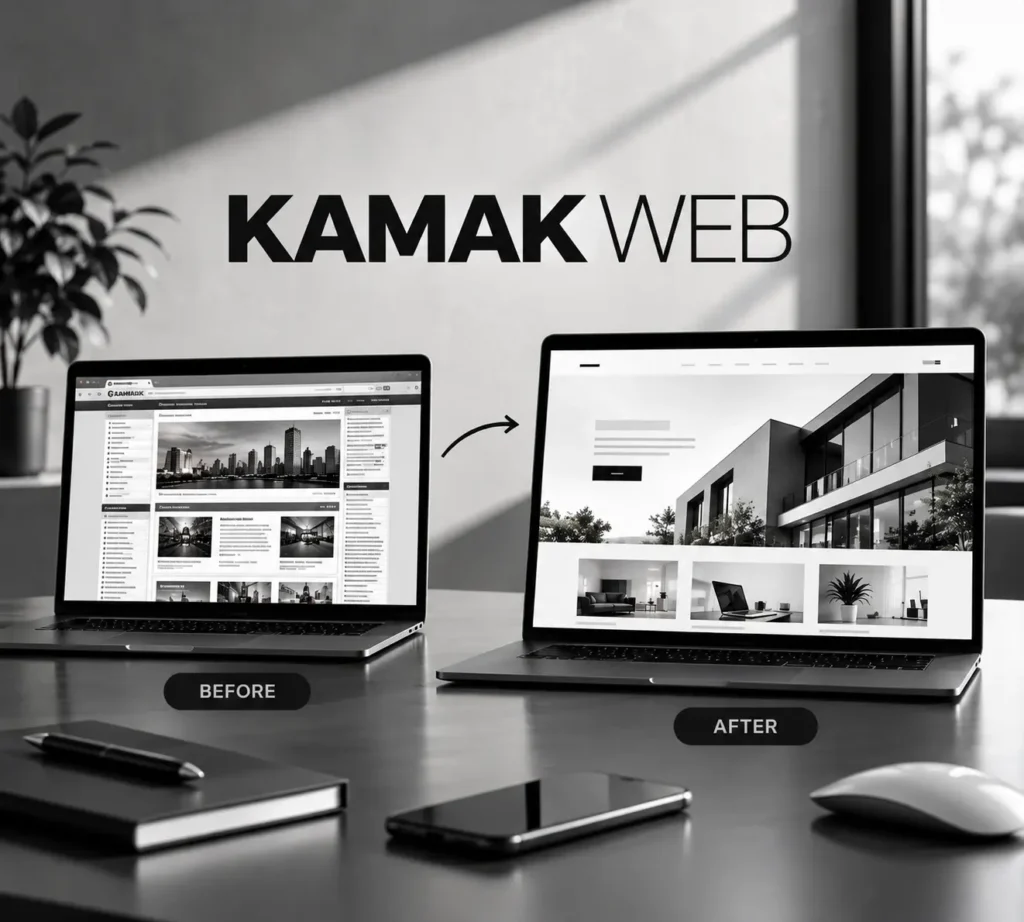
Website redesign SEO comes down to one idea: change the look of your site without breaking what Google already knows about your pages. A redesign should bring you more calls and quote requests, not fewer, yet many businesses see their traffic drop after launch. It is rarely the new look that causes it. It is what changed underneath: URLs, redirects, page titles, content, and speed.
Short answer
Keep the URLs that already rank, 301-redirect every URL that has to change, carry over the titles, headings, and content that earn traffic, keep the new site fast on mobile, and watch Google Search Console for the first 30 days.
In this guide
Why redesigns lose rankings
Google ranks individual pages, not “a website.” Every page has a history: links pointing to it, content Google has already understood, and clicks from real searchers. When a redesign changes a page address, deletes the page, or rewrites it from scratch without a plan, Google has to relearn it, and rankings can slip while it does.
These are the causes we see most often:
- Changed URLs with no redirect. Old links and bookmarks land on a 404 page and the page history is lost.
- Pages deleted because they “looked old.” Some of those pages were quietly bringing in your best leads.
- Generic titles and descriptions. Focused, keyword-aware ones get replaced by the brand name and nothing else.
- A heavier, slower site. Sliders, autoplay video, and oversized images slow mobile pages down.
- Launch mistakes. A noindex tag or robots block from the staging site is left on, so Google is told to ignore the new site.
Before you change anything: build a baseline
You cannot protect what you have not measured. Spend an afternoon on these six steps before design starts:
- List every URL. Crawl the current site and export all pages, including old blog posts and landing pages.
- Find your money pages. In Google Search Console, sort pages by clicks over the last 12 months. Those are your protected pages.
- Save their on-page SEO. Copy the title, meta description, and H1 of each protected page.
- Note who links to you. Pages with outside links need extra care, because those links carry weight.
- Measure speed. Run mobile PageSpeed Insights on the home page and your top three pages so you can compare after launch.
- Write down your business details. Name, service area, and contact email exactly as they appear on your Google Business Profile.
Website redesign SEO: seven rules of a safe redesign
1. Keep URLs whenever you can
A new design does not require new addresses. If /services/ ranks today, it should still be /services/ after launch.
2. Redirect everything that has to move
When an address must change, set up a one-to-one 301 redirect from the old URL to the closest matching new page. Do not send every old URL to the home page, and avoid redirect chains where one redirect points to another.
3. Keep what already ranks
Rewrite weak copy, but keep the topics, headings, and answers that bring visitors in. Make pages clearer, not emptier. Good website redesign SEO protects what already ranks while improving what does not.
4. Design for mobile first
Most local searches happen on a phone. Check every section at 320 px, 375 px, and tablet width, and make sure the main call to action is easy to reach without a long scroll.
5. Set a speed budget
Use WebP images, compress them before upload, and skip autoplay video and heavy sliders. A beautiful page that loads slowly costs you both rankings and leads.
6. Fix the basics on every page
One H1 per page, a unique title and description, descriptive image alt text, and internal links that use real words (a core part of website redesign SEO) instead of “click here.”
7. Launch clean
Remove any staging password and noindex tag, update the XML sitemap, test every form, and confirm the old URLs redirect properly before you announce the new site.
Rule of thumb: if a page earns traffic today, protect it before you redesign it.
What agency proposals often leave vague
Reading agency pages and common client complaints, the same gaps keep appearing. Here are six things to pin down in writing before you hire anyone, ours included.
Price
Often vague: “Request a quote” with no range at all.
Ask for: a written scope and a price range before you spend time on calls.
Timeline
Often vague: a generic “8 to 16 weeks.”
Ask for: milestone dates, and exactly what you need to provide and by when.
SEO plan
Often vague: “We preserve your search equity.”
Ask for: the URL inventory, the redirect map, and a post-launch crawl report.
Ownership
Often vague: who controls the domain, hosting, and logins.
Ask for: your name on the domain, full admin access, and your files at handover.
Communication
Often vague: who answers and how fast.
Ask for: one named contact and replies in writing, so nothing gets lost.
Proof
Often vague: results with no timeframe or business type.
Ask for: examples that show the goal, the timeline, and what actually changed.
Launch day and the first 30 days
- Open the live site on your phone and on a computer, and test every contact form.
- Confirm the noindex setting is off and robots.txt is not blocking the site.
- Submit the updated sitemap in Google Search Console.
- Test your top old URLs and make sure each one lands on the right new page with a 301.
- Check Search Console weekly for new 404 errors and indexing problems, and fix them fast.
- Compare clicks and impressions with your baseline, and run mobile PageSpeed Insights again.
Small dips in the first couple of weeks can be normal while Google recrawls the site. A steady fall is a sign to dig into redirects and indexing right away.
Extra steps for Los Angeles businesses
Local competition is crowded, so small details matter. Keep your business name, service area, and contact email identical on your website, your Google Business Profile, and every directory listing. If you serve customers at their location rather than at a storefront, list the areas you serve instead of a public address, and only create a location page when you have something real to say about that area.
Reviews and fresh Google Business Profile posts also support local visibility, so plan them as part of the launch, not as an afterthought.
How we handle redesigns at Kamak Web
We are based in West Hills and work with businesses across Los Angeles. Every website redesign starts with an audit and a URL map, followed by a mobile-first design, WebP images, redirects for anything that moves, and a Search Console check after launch. Your site stays yours.
No phone tag required. Send us your website address and your goal through the quote form or at info@kamakweb.com, and we will reply in writing with what we would keep, what we would change, and what needs a redirect. If you also need ongoing visibility, our SEO services and web design pages show how the work fits together.
Frequently asked questions
Will a redesign hurt my rankings?
Not if it is planned. Rankings usually drop when URLs, content, or speed change without a plan. Keeping what works and redirecting what moves protects most of your visibility.
Do I need 301 redirects if my URLs stay the same?
No. Redirects are only needed for pages whose address changes or that you remove. Still, test your old URLs after launch to be sure nothing broke.
How long until rankings settle?
It depends on the size of the site and how much changed. Google needs time to recrawl, so expect some movement in the first weeks and keep monitoring. Nobody can promise an exact date.
Should I redesign or just fix my SEO?
If your site is slow, hard to use on mobile, or does not make it easy to contact you, a redesign will help. If the design is fine but pages are thin or poorly targeted, start with SEO instead. An audit tells you which one you need.
Further reading: Google Search Central: site moves with URL changes, Website Redesign Mistakes That Destroy SEO (3 Media Web) and 27 Complaints About Web Design Companies (Orbit Media).
![<p class="kw-lead wp-block-paragraph">Two businesses sell the same service on the same street. One has 4 Google reviews, the other has 40. Guess which one gets the call. Reviews are the cheapest, strongest proof a local business can earn, and most owners never ask for them.</p>
<div class="wp-block-group kw-callout"><div class="wp-block-group__inner-container is-layout-flow wp-block-group-is-layout-flow">
<p class="kw-tag wp-block-paragraph">Short version</p>
<p class="wp-block-paragraph">Copy your direct review link from Google Business Profile, send it to happy customers right after a good result, reply to every review, and never offer rewards. Ask a few customers every week and the total climbs without any pressure.</p>
</div></div>
<div class="wp-block-rank-math-toc-block" id="rank-math-toc"><div>In this guide</div><nav><ul><li class=""><a href="#why">Why reviews move the needle</a></li><li class=""><a href="#link">Step 1: Get your direct review link</a></li><li class=""><a href="#ask">Step 2: Ask at the right moment</a></li><li class=""><a href="#rules">What Google does not allow</a></li><li class=""><a href="#reply">Step 3: Reply to every review</a></li><li class=""><a href="#habit">Make it a monthly habit</a></li><li class=""><a href="#kamak">How we help at Kamak Web</a></li><li class=""><a href="#faq">Frequently asked questions</a></li></ul></nav></div>
<h2 id="why" class="wp-block-heading">Why reviews move the needle</h2>
<p class="wp-block-paragraph">Google says that <a href="https://support.google.com/business/answer/7091" target="_blank" rel="noopener">more reviews and positive ratings can help your business’s local ranking</a>. Reviews also help the person who finds you on Google Maps decide, in a few seconds, whether to call you or the next business on the list.</p>
<p class="wp-block-paragraph">Reviews work best together with a complete profile, accurate hours and a good website. Our guide to <a href="/local-seo-los-angeles-google-maps/">local SEO in Los Angeles</a> covers the rest.</p>
<h2 id="link" class="wp-block-heading">Step 1: Get your direct review link</h2>
<ol class="wp-block-list kw-steps">
<li>Sign in to the Google account that manages your Business Profile.</li>
<li>Search for your business name on Google, or open the profile from Google Maps.</li>
<li>Choose <strong>Ask for reviews</strong> (the label may read “Get more reviews”).</li>
<li>Copy the link and save it in your phone notes. It opens the review box in one tap.</li>
<li>Optional: turn the link into a QR code and print it for your counter, invoices or business cards.</li>
</ol>
<h2 id="ask" class="wp-block-heading">Step 2: Ask at the right moment</h2>
<p class="wp-block-paragraph">The best time is right after a clear win: the project is finished, the problem is solved, the customer just said thank you. A short, polite message works better than a long one. Here are two you can copy.</p>
<div class="wp-block-group kw-cards"><div class="wp-block-group__inner-container is-layout-flow wp-block-group-is-layout-flow">
<div class="wp-block-group kw-card"><div class="wp-block-group__inner-container is-layout-flow wp-block-group-is-layout-flow">
<h3 class="wp-block-heading">English</h3>
<p class="wp-block-paragraph">Hi [Name], thank you for choosing us. If you were happy with the work, a short Google review helps other local customers find us. It takes about a minute: [LINK]</p>
</div></div>
<div class="wp-block-group kw-card"><div class="wp-block-group__inner-container is-layout-flow wp-block-group-is-layout-flow">
<h3 class="wp-block-heading">Español</h3>
<p class="wp-block-paragraph">Hola [Nombre], gracias por elegirnos. Si quedó contento con el trabajo, una reseña corta en Google ayuda a otros clientes a encontrarnos. Toma un minuto: [LINK]</p>
</div></div>
</div></div>
<ul class="wp-block-list">
<li><strong>Ask in the customer’s language.</strong> A request in their own language feels natural and is easy to act on.</li>
<li><strong>Ask in person first, then send the link.</strong> A friendly face-to-face ask makes the message feel expected.</li>
<li><strong>Ask everyone.</strong> Not only the customers you think will be delighted.</li>
<li><strong>Keep it light.</strong> One reminder is fine. Three is pressure.</li>
</ul>
<h2 id="rules" class="wp-block-heading">What Google does not allow</h2>
<p class="wp-block-paragraph">Google’s <a href="https://support.google.com/contributionpolicy/answer/7400114" target="_blank" rel="noopener">contributed content policy</a> is clear on the points that cause most problems:</p>
<ul class="wp-block-list">
<li><strong>No rewards.</strong> You may not offer payment, discounts or free products or services in exchange for a review, or to change or remove one.</li>
<li><strong>No review gating.</strong> You may not discourage negative reviews or ask only the customers you expect to be positive.</li>
<li><strong>No fake reviews.</strong> Reviews must come from real experiences. That includes not reviewing your own business.</li>
<li><strong>No pressure.</strong> Do not push customers to write reviews on your premises or tell them what to say.</li>
</ul>
<div class="wp-block-group kw-note"><div class="wp-block-group__inner-container is-layout-flow wp-block-group-is-layout-flow">
<p class="wp-block-paragraph"><strong>Why this matters</strong></p>
<p class="wp-block-paragraph">Breaking these rules can get reviews removed or your profile restricted. Real reviews from real customers, asked for politely, are slower but they last.</p>
</div></div>
<h2 id="reply" class="wp-block-heading">Step 3: Reply to every review</h2>
<p class="wp-block-paragraph">Reply to every review, good and bad, within a few days. A good reply says thank you and mentions something specific. A reply to a negative review stays calm, states the facts briefly and offers to fix the issue offline. Future customers read how you respond as much as what the reviewer wrote.</p>
<p class="kw-pull wp-block-paragraph">Never argue in public. You are writing for the next reader, not for the person who is upset.</p>
<h2 id="habit" class="wp-block-heading">Make it a monthly habit</h2>
<p class="wp-block-paragraph">A steady trickle looks natural and keeps your profile fresh. Pick a simple routine: when a job closes, send the link; once a week, check for new reviews; once a month, count them and write the number down. Small, regular effort beats a one-time push.</p>
<h2 id="kamak" class="wp-block-heading">How we help at Kamak Web</h2>
<p class="wp-block-paragraph">We set up and optimize Google Business Profiles as part of our <a href="/seo-services/">SEO services</a>, including the review link, the reply routine and the tracking. Send your business and your area through the <a href="/seo-services-quote/">SEO quote form</a> or write to info@kamakweb.com. You get a written plan before any work begins.</p>
<div class="wp-block-buttons is-layout-flex wp-block-buttons-is-layout-flex">
<div class="wp-block-button"><a class="wp-block-button__link wp-element-button" href="/seo-services-quote/">Get an SEO Quote</a></div>
<div class="wp-block-button is-style-outline is-style-outline--2"><a class="wp-block-button__link wp-element-button" href="/seo-services/">See SEO Services</a></div>
</div>
<h2 id="faq" class="wp-block-heading">Frequently asked questions</h2>
<h3 id="how-many" class="wp-block-heading">How many reviews do I need?</h3>
<p class="wp-block-paragraph">There is no magic number. Look at the three or four businesses that rank above you in Google Maps, see how many reviews they have, and aim to match them over time.</p>
<h3 id="text-ask" class="wp-block-heading">Can I ask for a review by text or email?</h3>
<p class="wp-block-paragraph">Yes, as long as you do it politely, without a reward, and ask all your customers instead of choosing only the happy ones.</p>
<h3 id="bad-review" class="wp-block-heading">What if I get a bad review?</h3>
<p class="wp-block-paragraph">Reply calmly and factually. If the review breaks Google’s policy, such as spam or a review from someone who was never a customer, you can report it. Otherwise a good reply and more positive reviews are the best answer.</p>
<p class="kw-sources wp-block-paragraph">Further reading: <a href="https://support.google.com/business/answer/7091" target="_blank" rel="noopener">Improve your local ranking on Google</a> and <a href="https://support.google.com/contributionpolicy/answer/7400114" target="_blank" rel="noopener">Google Maps contributed content policy</a>.</p>](https://www.kamakweb.com/wp-content/uploads/2026/10/get-more-google-reviews-cover-1024x538.webp)